Advice and answers from the Callyzer Team

Troubleshoot for OnePlus

If you are facing issue in auto-synchronization, please follow the following steps.
How to disable battery optimization for Callyzer
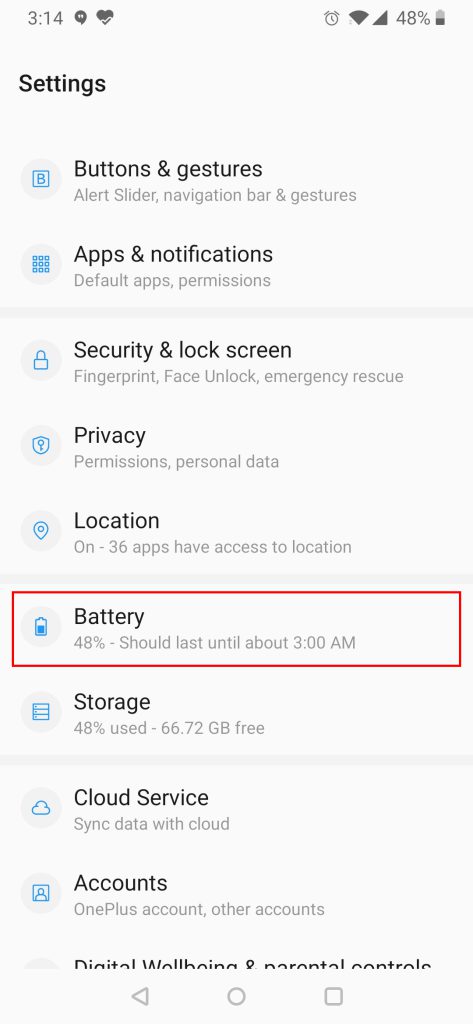
Step 1: Open Phone Settings.

Step 2: Click On Battery.

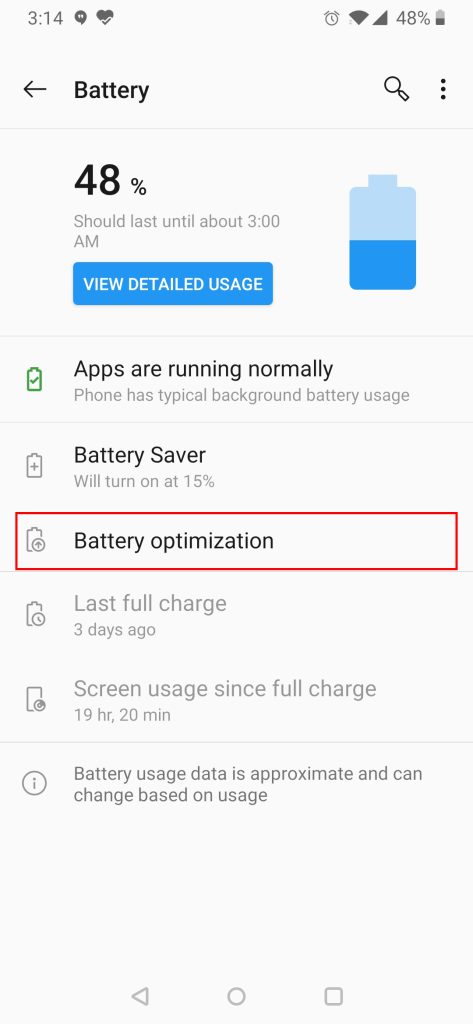
Step 3: Click on Battery Optimization Option.

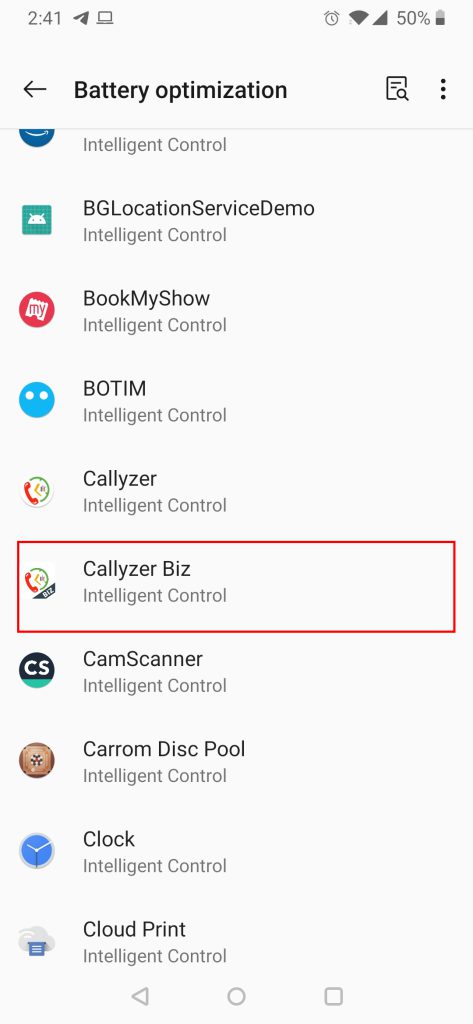
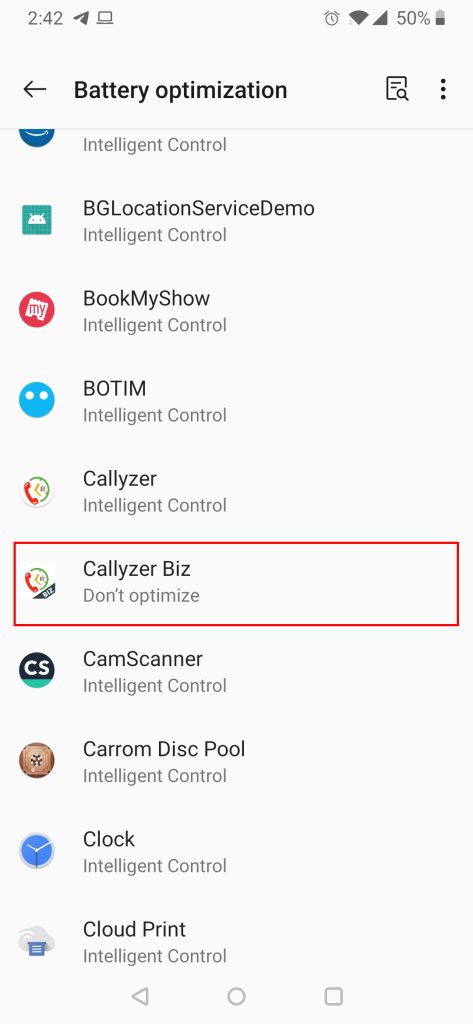
Step 4: Scroll down and search for Callyzer biz Application and click on it.

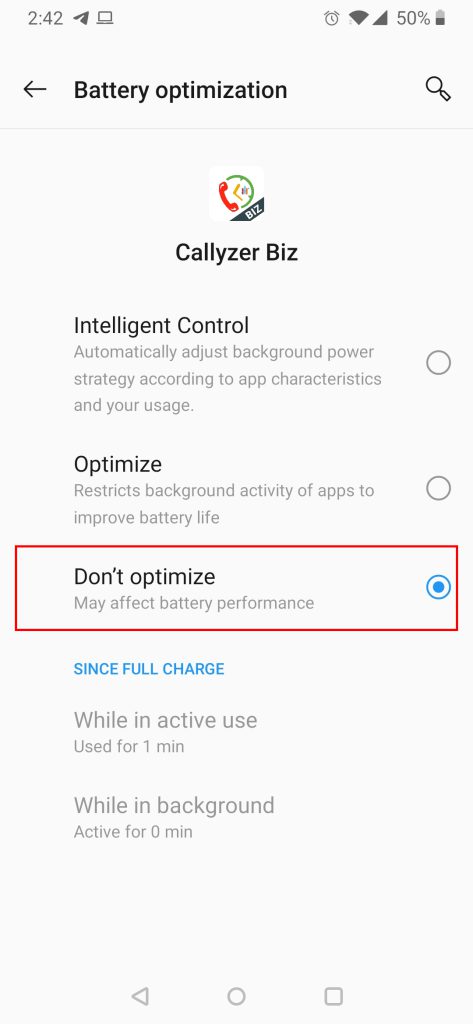
Step 5: Select Don’t Optimize Option.
Make Sure its Blue

Step 6: This Should be the final Status for Callyzer biz Application.

Troubleshoot for Tecno

If you are facing issue in auto-synchronization, please follow the following steps.
Process 1: Settings For AutoStart for Callyzer
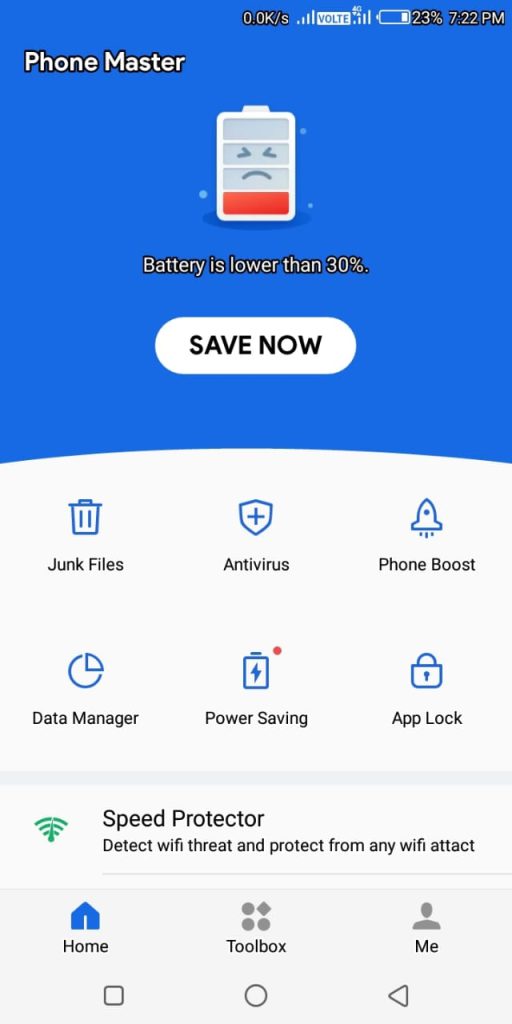
Step 1: Open Phone Master App Of Your Phone.

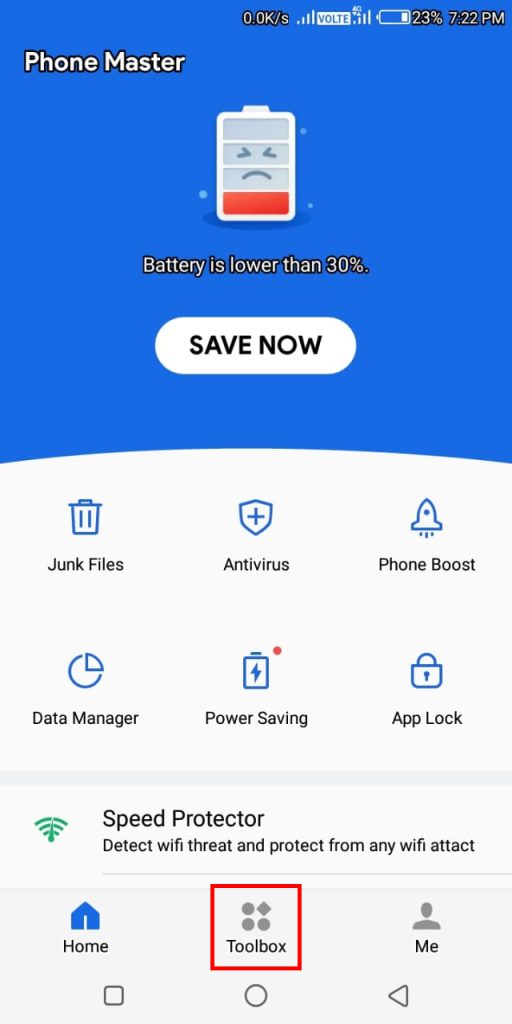
Step 2: Find ToolBox And Click on It.

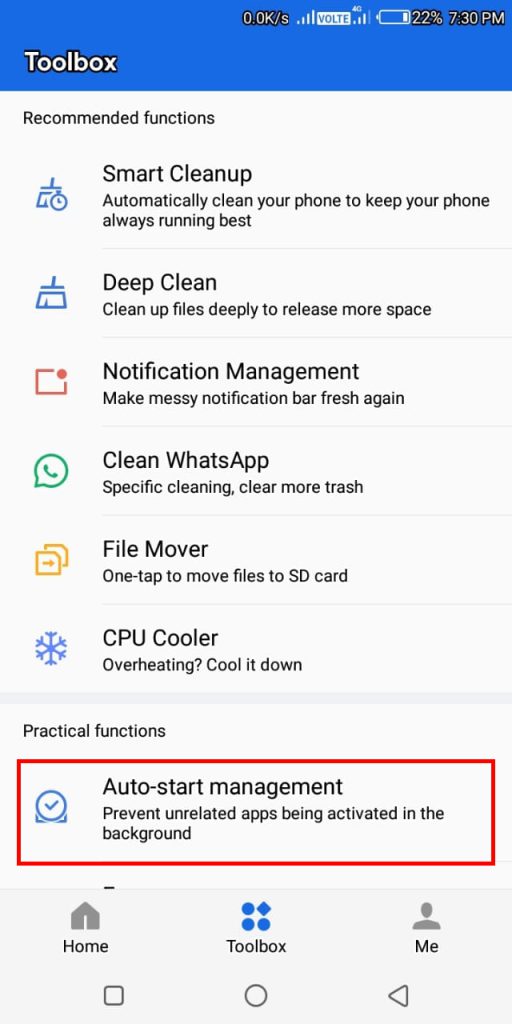
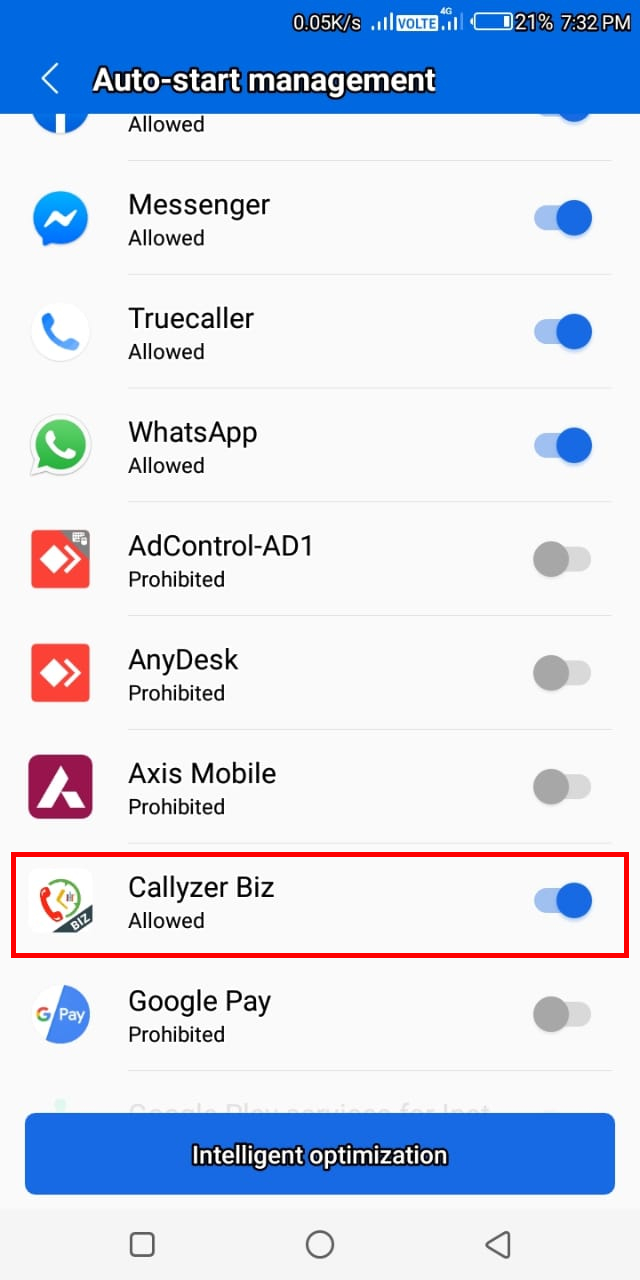
Step 3: Click on Auto-start Management.

Step 4: Search For Callyzer biz App and Turn ON the toggle Button.
Make Sure the Colour of Button must be BLUE

Process 2: How to disable battery optimization for Callyzer
Step 1: Open the Phone Setting.
Step2: Type battery in the search box and click on Battery Optimization Option.

Step2

Step 3: Click on Battery Optimization Option.

Step3

Step 4: Click on The Down Arrow And Select All Apps.

Step4

Step 5: All Apps Listing Will Be Displayed

Step5

Step 6: Search For Callyzer biz App and Click on it.

Step6

Step 7: It Will Open Following Options.

Step7

Step 8: Click On Callyzer biz App and TURN OFF the Toggle Button.

Step4

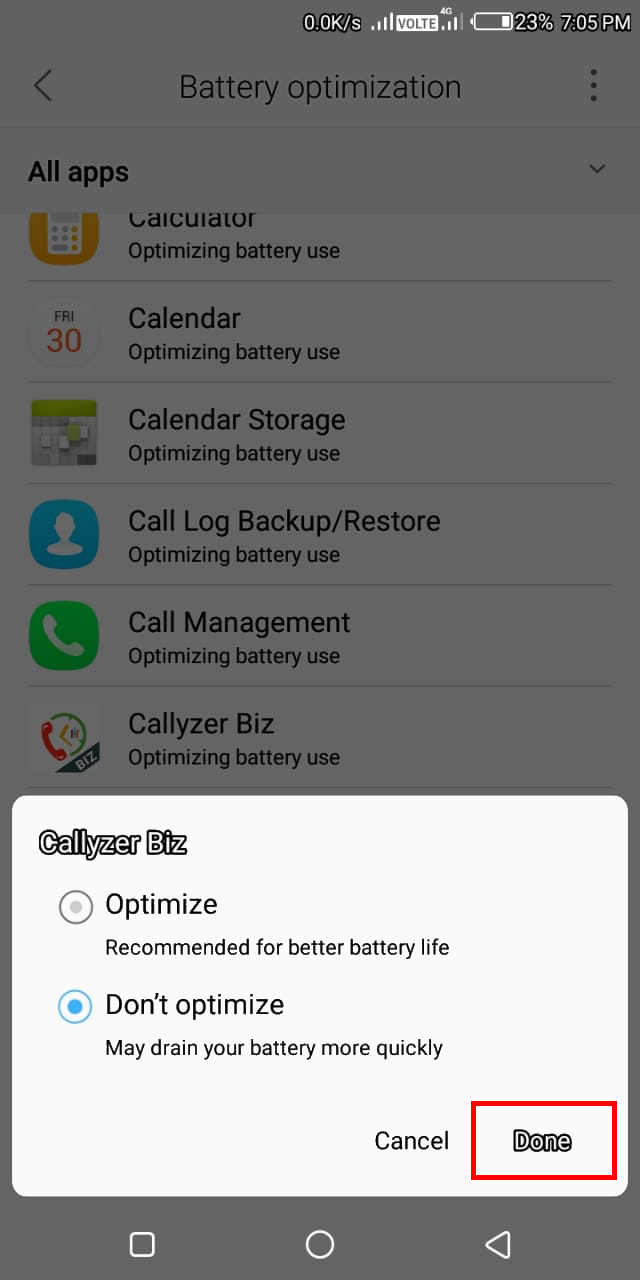
Step 9: Press Done After Selecting (Don’t Optimize Button).

Step9

Troubleshoot for Samsung

If you are facing issue in auto-synchronization, please follow the following steps.
Process 1: Battery Settings.
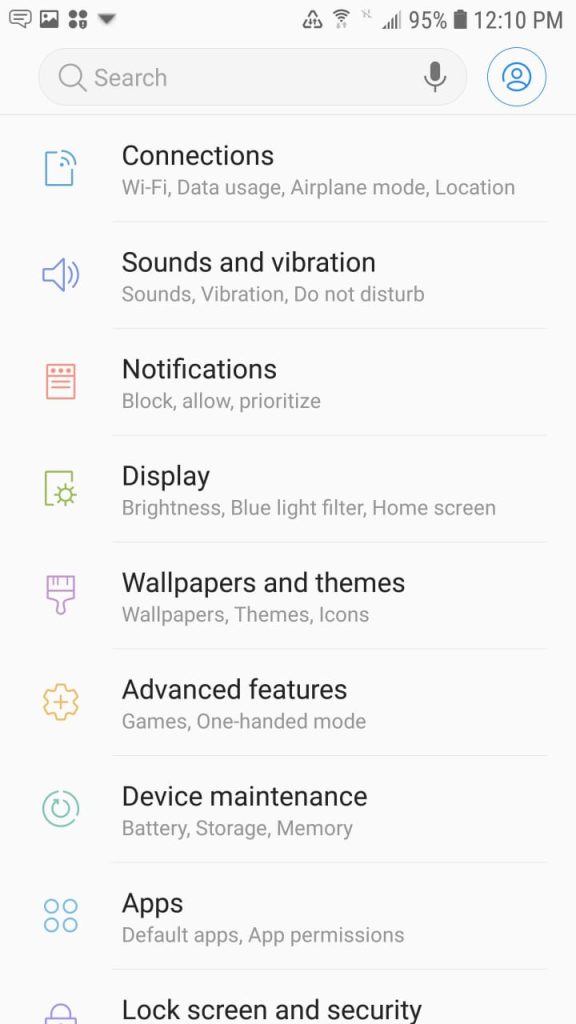
Step 1: open phone settings.

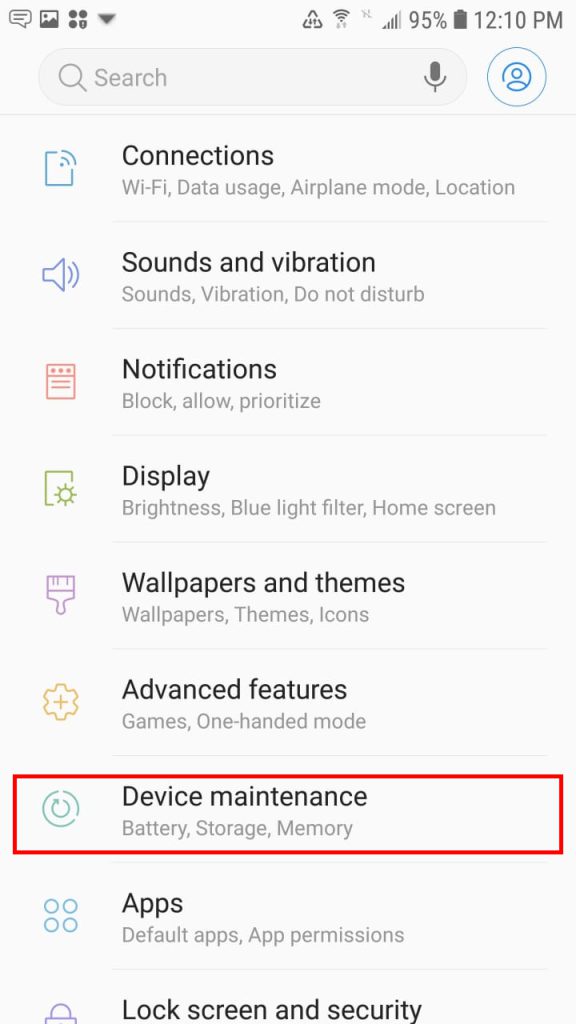
Step 2: Click on device maintenance.

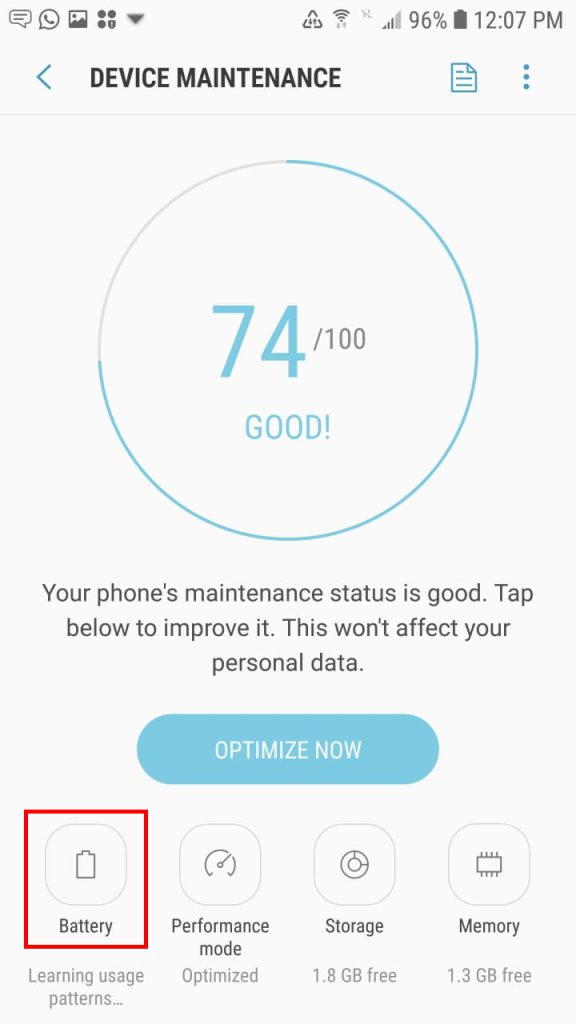
Step 3: Click on battery icon/option.

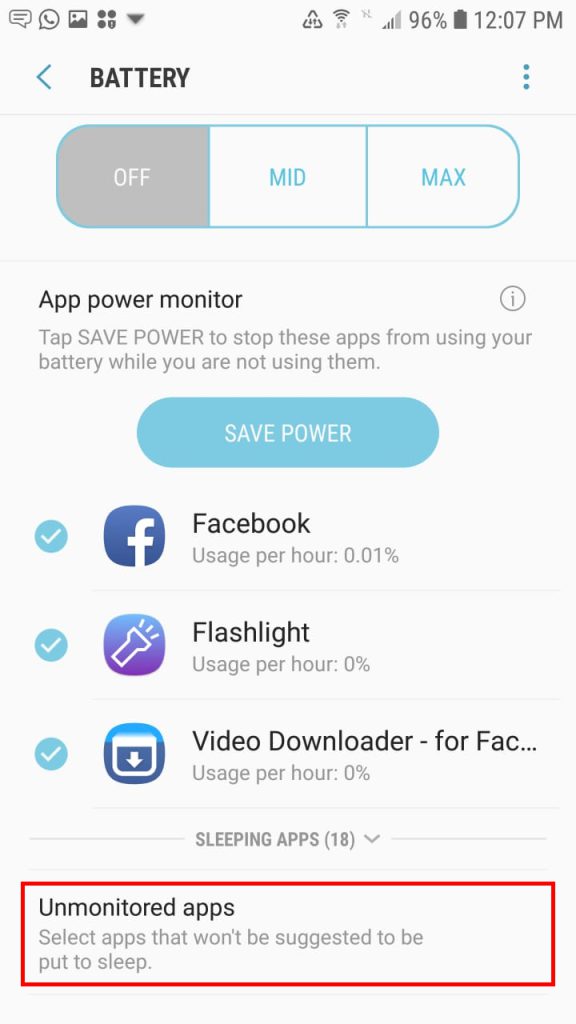
Step 4: Scroll down and search for unmonitored Apps option and click on it.

Step 5: Select Add Apps Option.

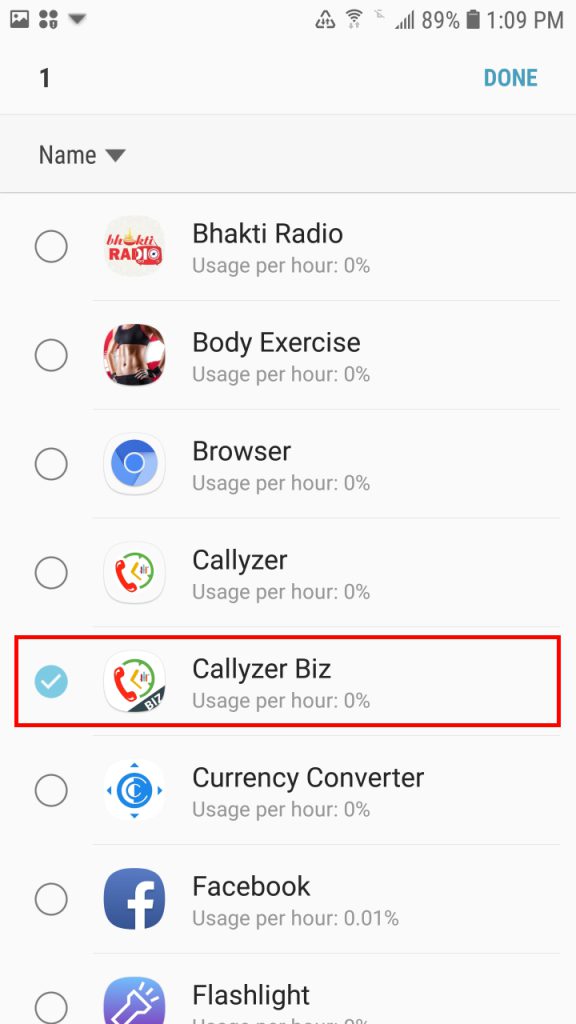
Step 6: Search for Callyzer biz App and click on it.

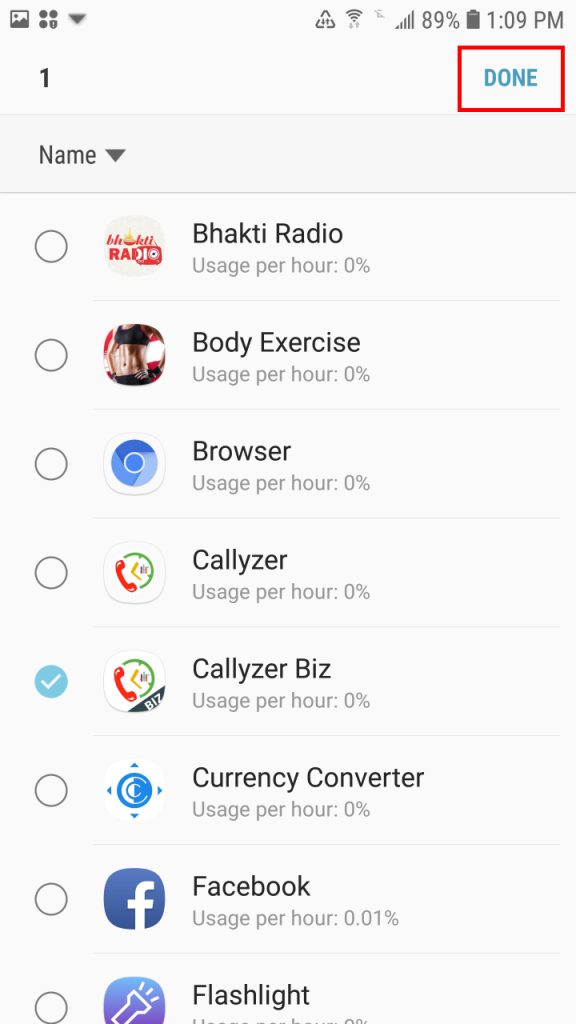
Step 7: After Blue Tick, Click On Done Button in the top Right Corner.

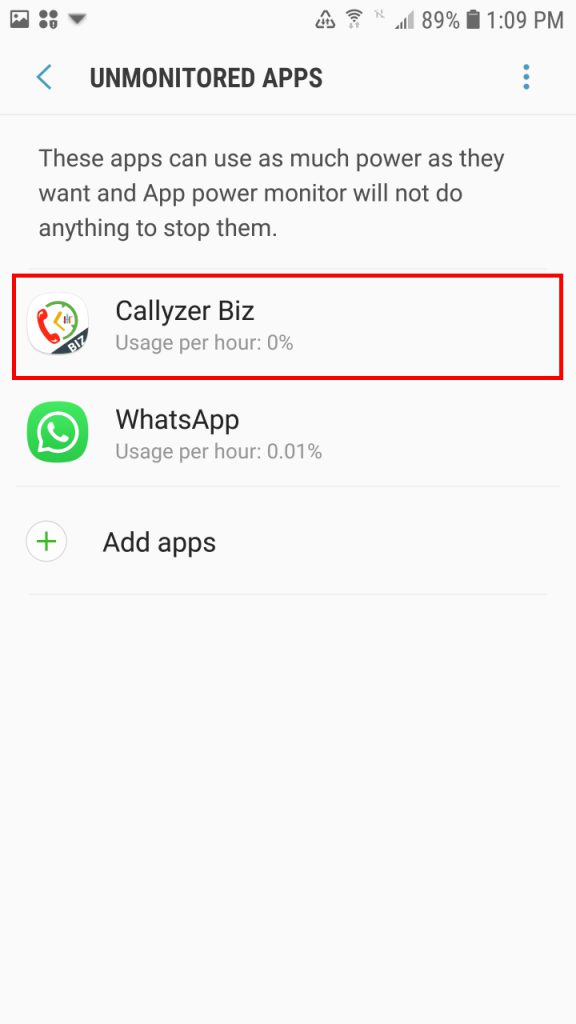
Step 8: Screen After Pressing Done.

Process 2: Settings For Battery Optimization for Callyzer
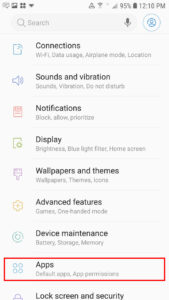
Step 1: Open Phone Settings.
Step 2: Click on Apps Option.

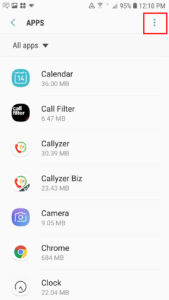
Step 3: Click on 3 dots in top right corner.

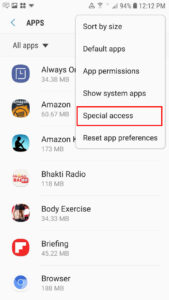
Step 4: Click on Special Access Option.

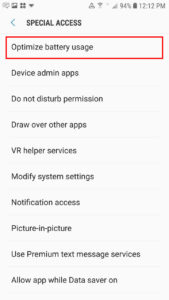
Step 5: Click On Battery Optimization Usage Option.

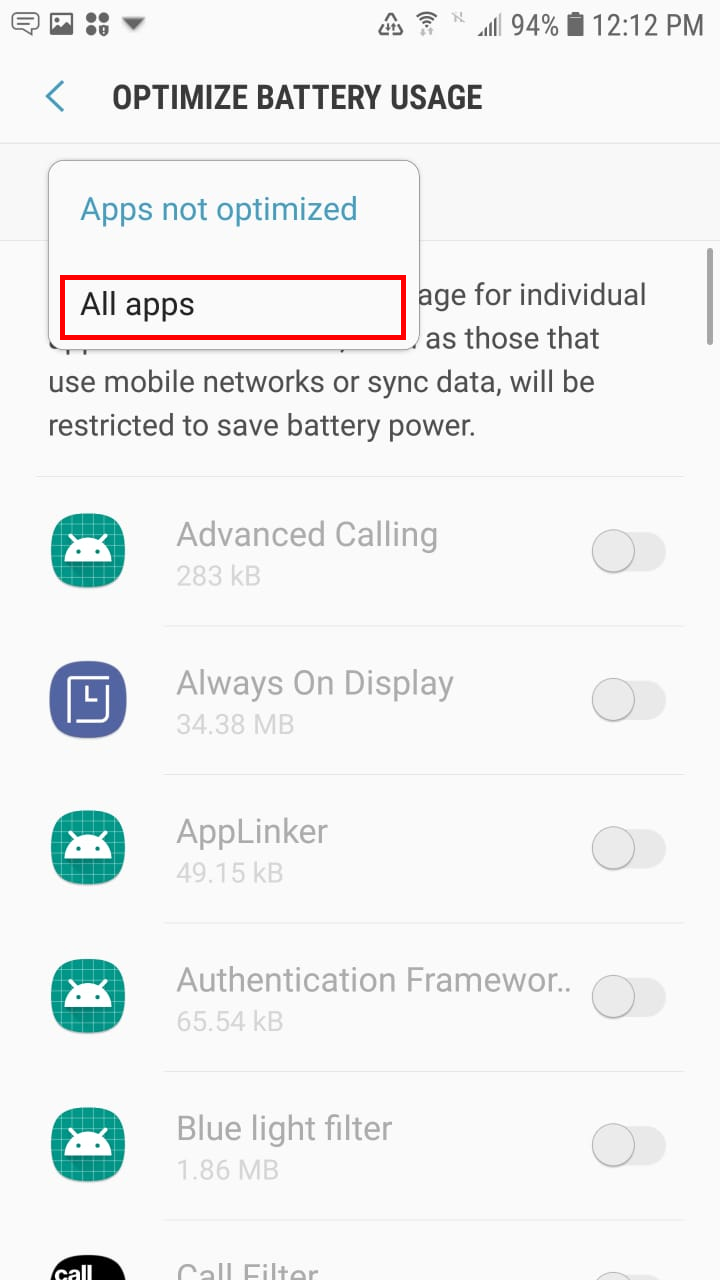
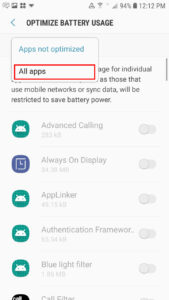
Step6: Click Apps Not Optimized Down Arrow Button and Select All Apps.

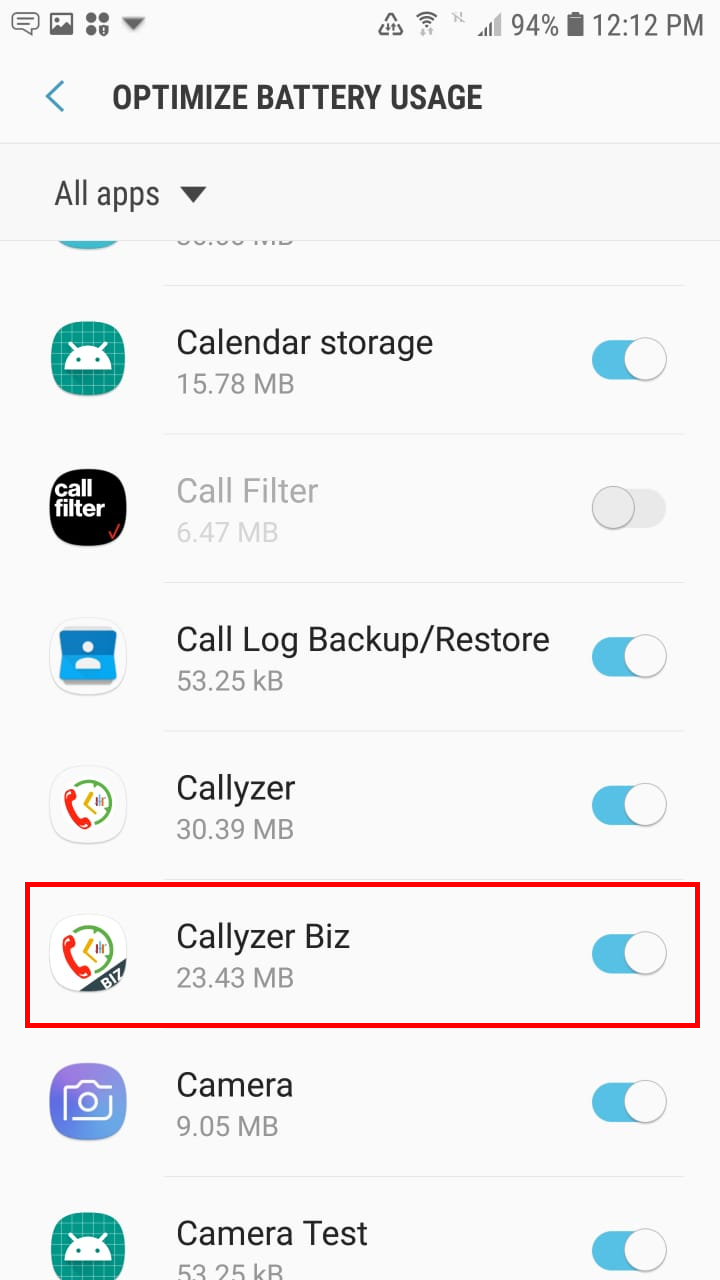
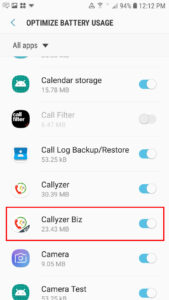
Step7: By Default The Callyzer App Toggle Button Will be Blue.

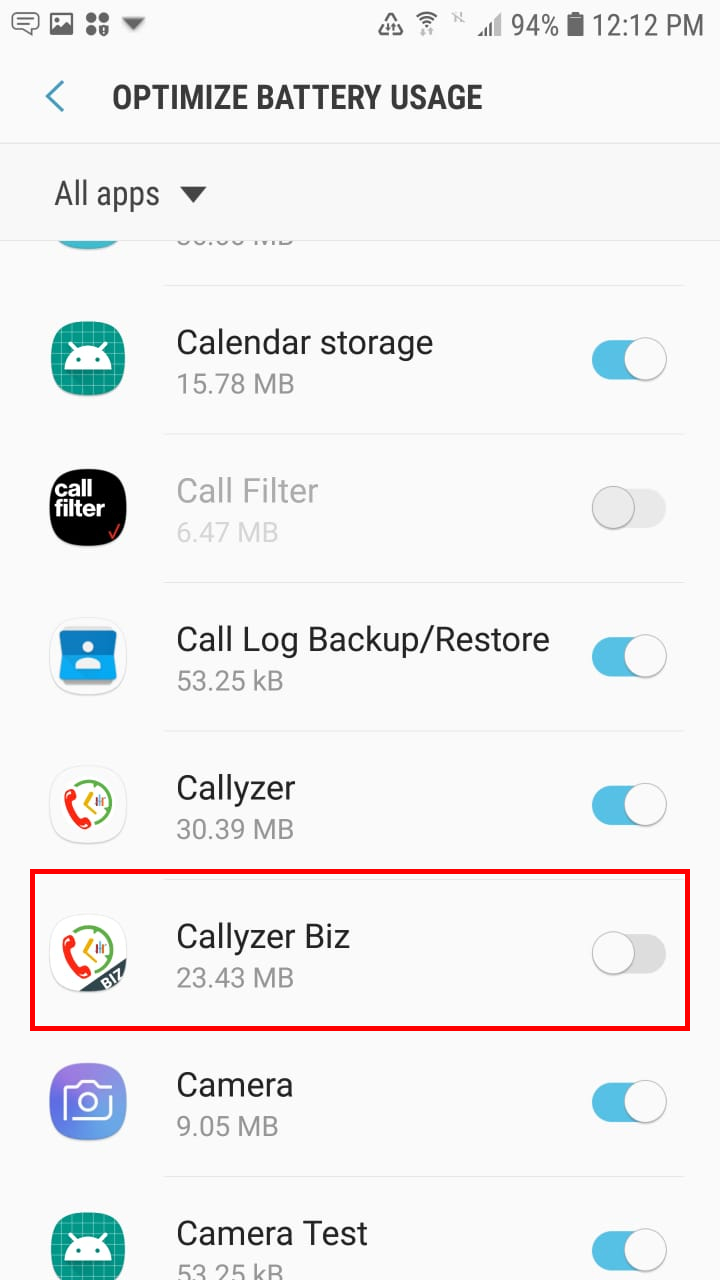
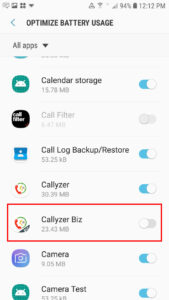
Step 8: Click On Callyzer biz App and TURN OFF the Toggle Button.

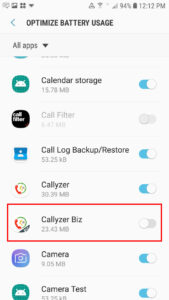
Make Sure it Must be Gray.

Troubleshooting for All Xiaomi/Redmi/Mi/POCO Devices

Process 1: Settings For AutoStart for Callyzer
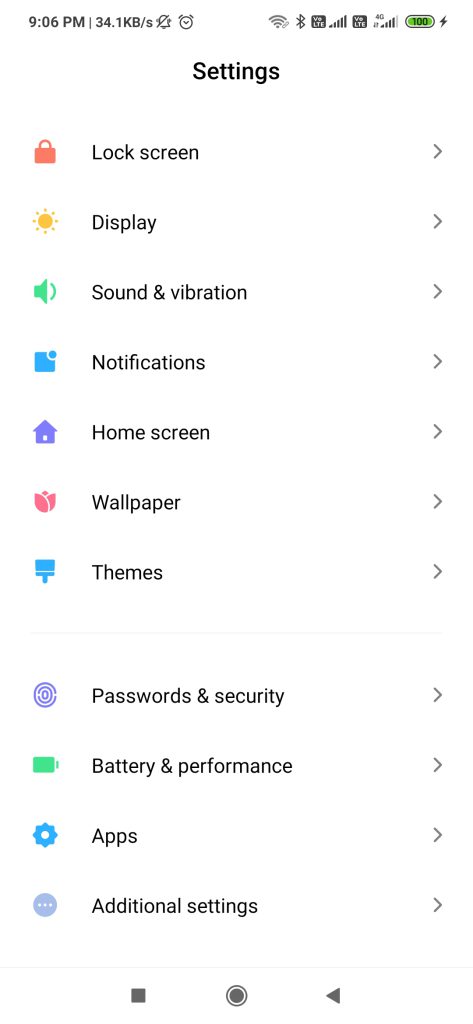
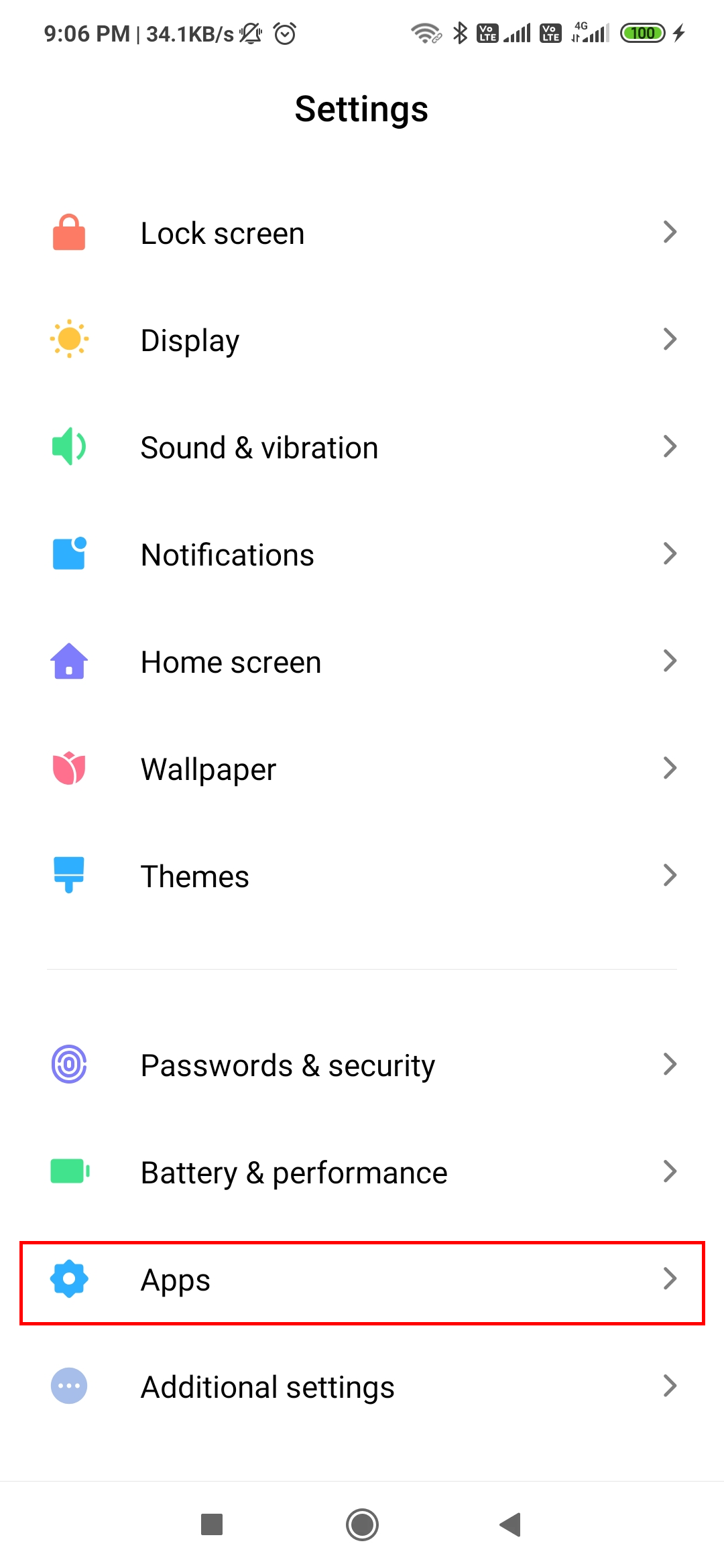
Step 1: Open Phone Settings

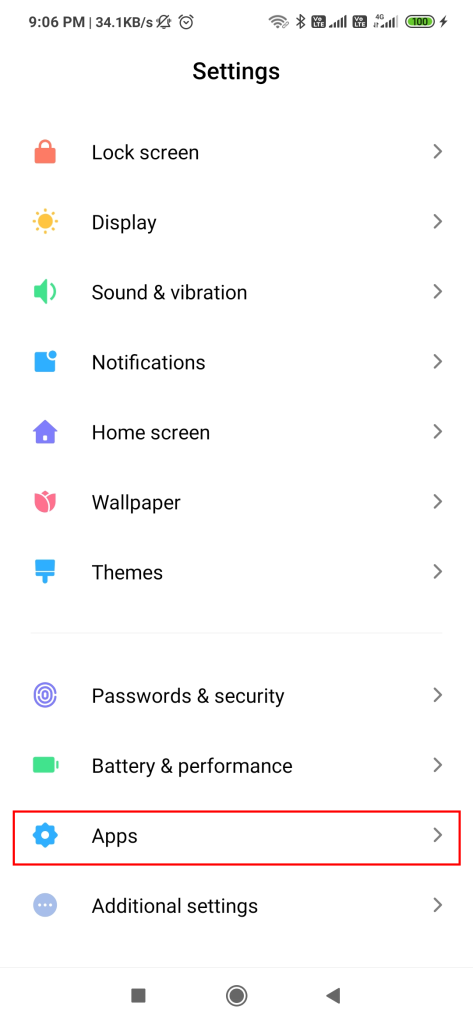
Step 2: Click on Apps Option.

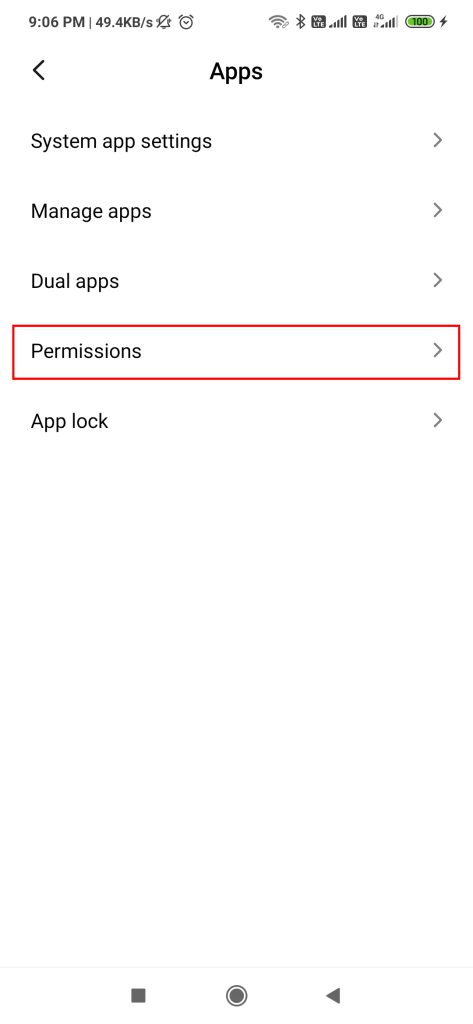
Step 3: Click on Permissions option.

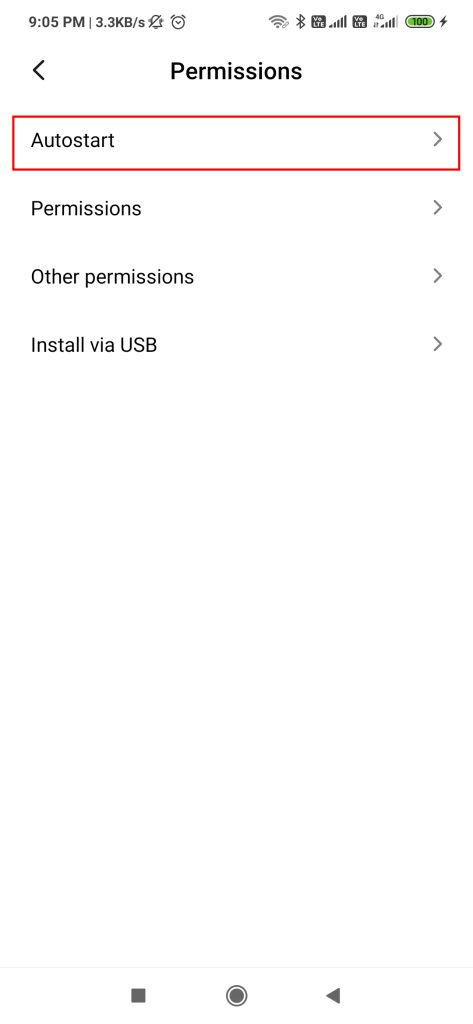
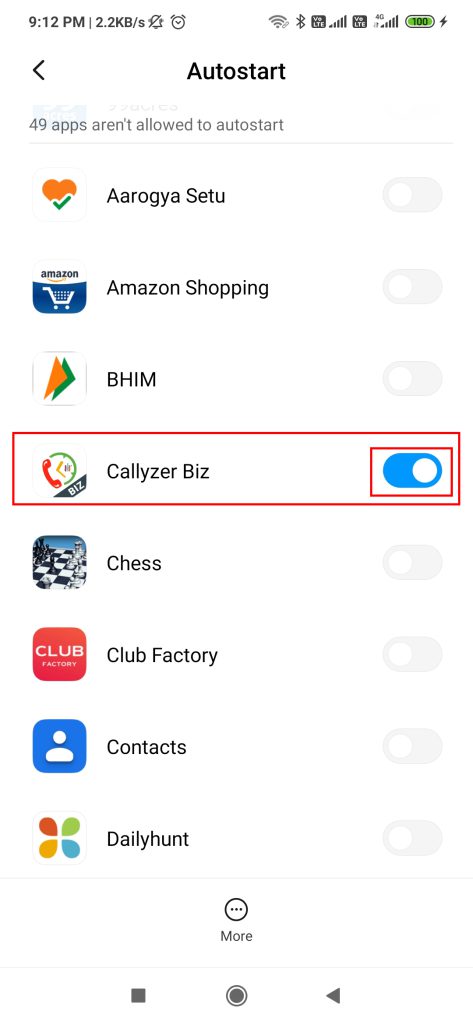
Step 4: Click on AutoStart Option.

Step 5: Search For Callyzer biz App and TURN ON the Toggle Button.
Make Sure it Must be Blue.

Process 2: How to disable battery optimization for Callyzer
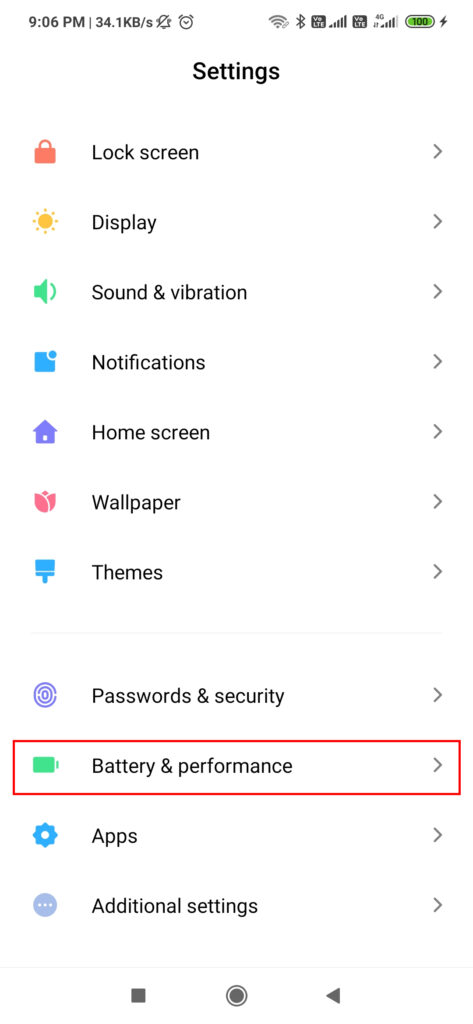
Step 1: Open Phone Settings

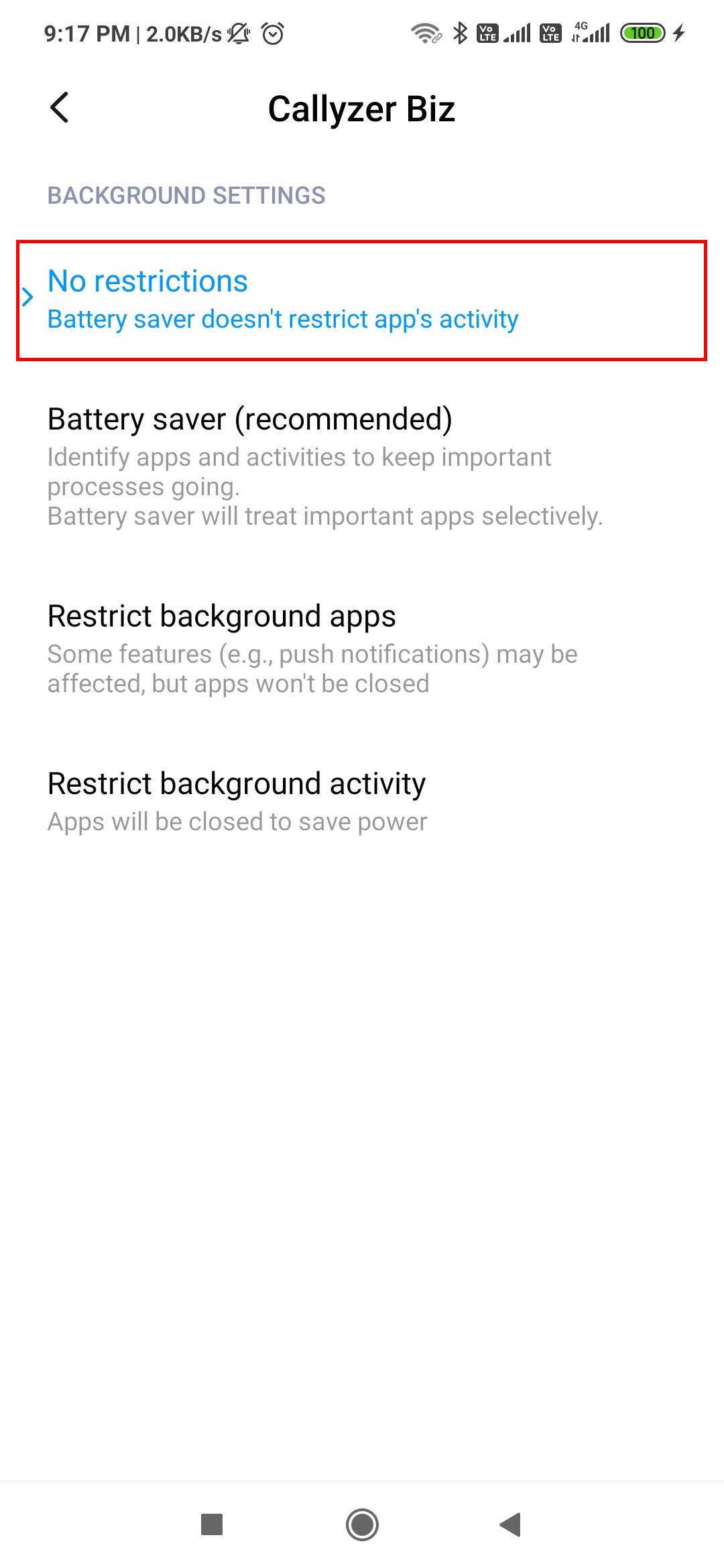
Step 2: Click On Battery & Performance.

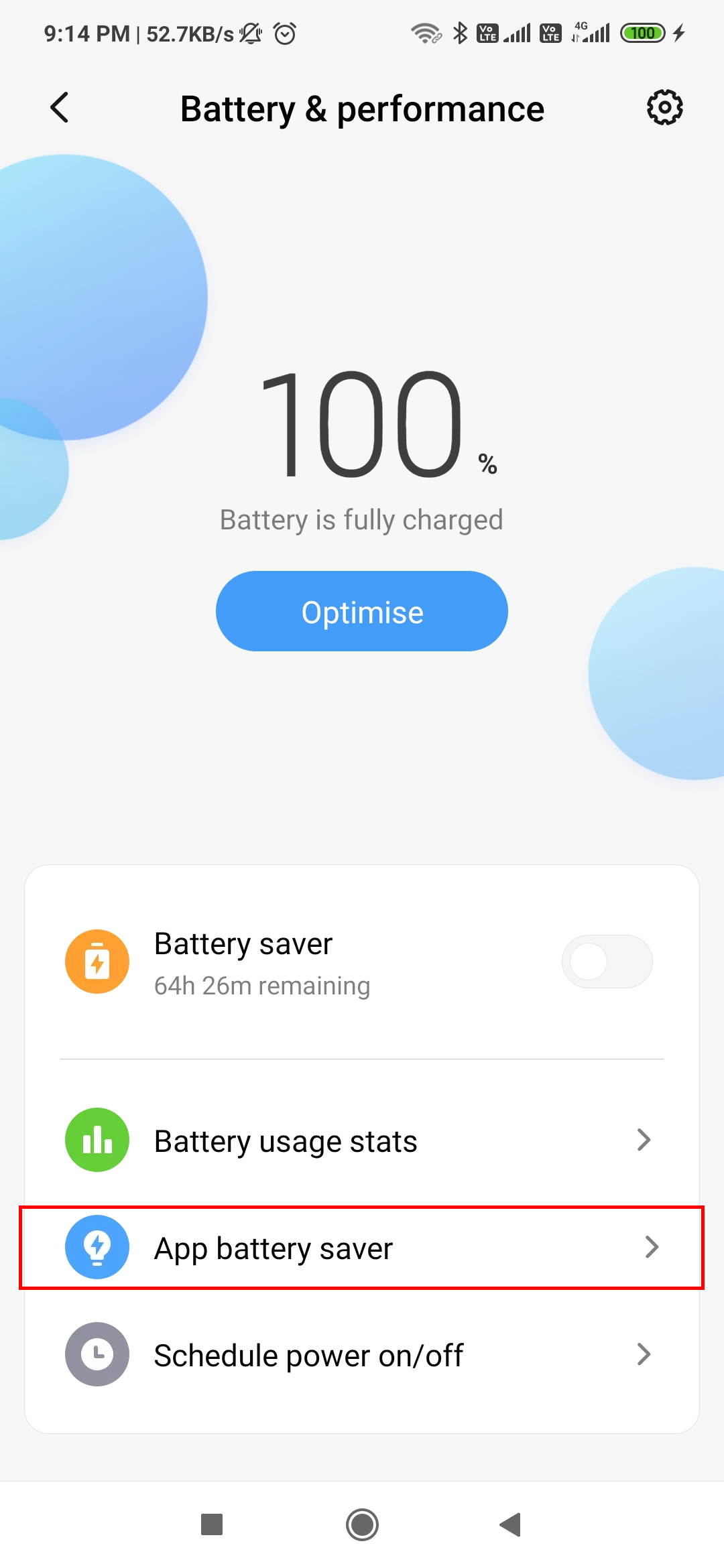
Step 3: Click on App Battery Saver.

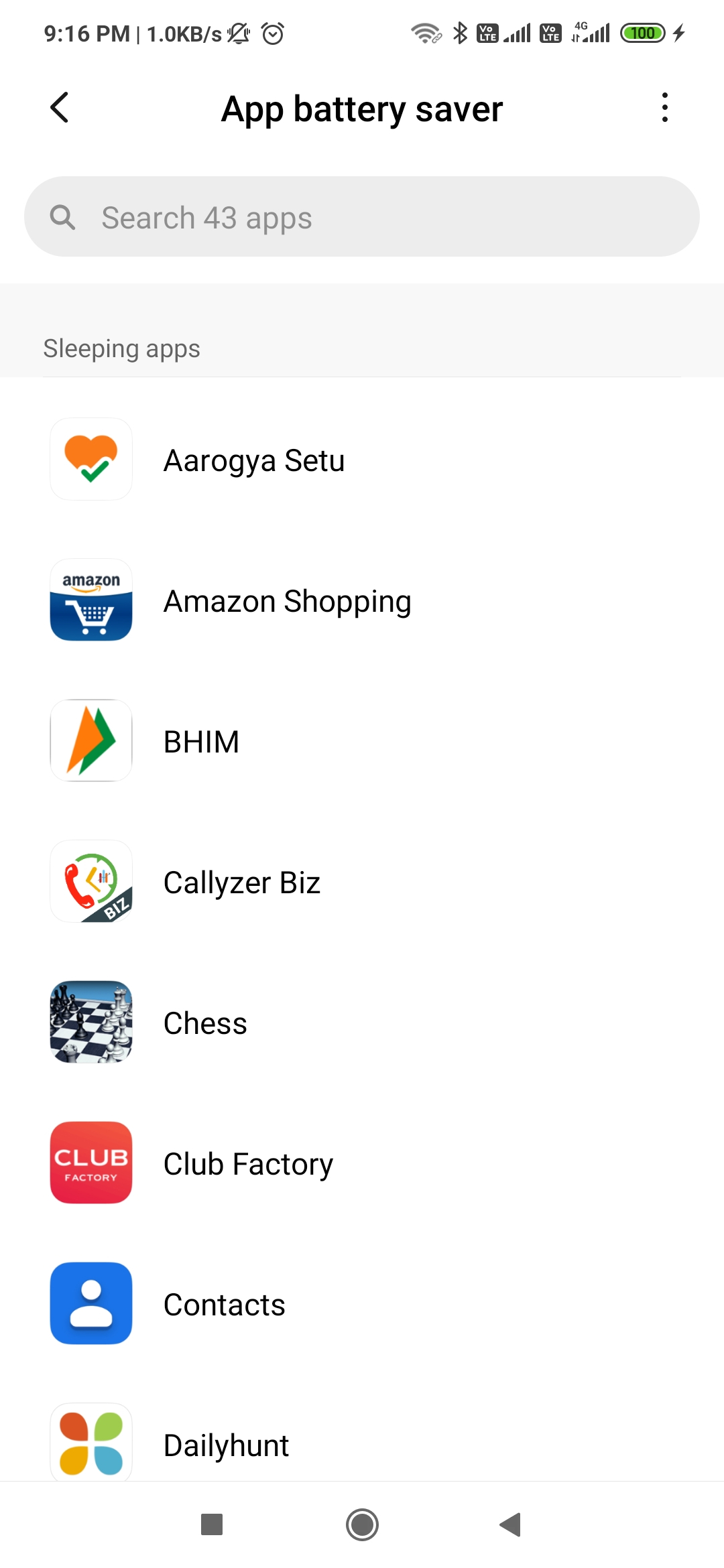
Step 4: Search for Callyzer biz App in List and Click on it.

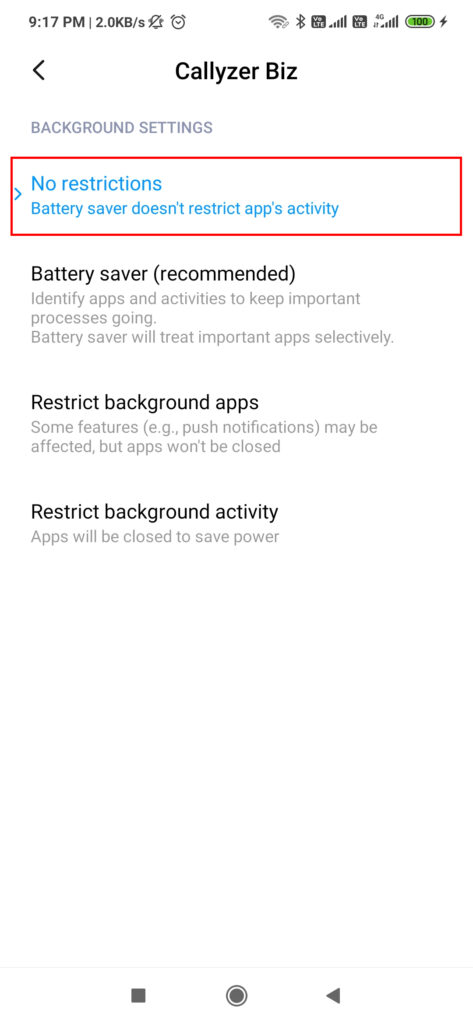
Step 5: Select No Restriction Option.

Troubleshoot FunTouch O.S 2.0

Process 1: Settings For Auto Start for Callyzer
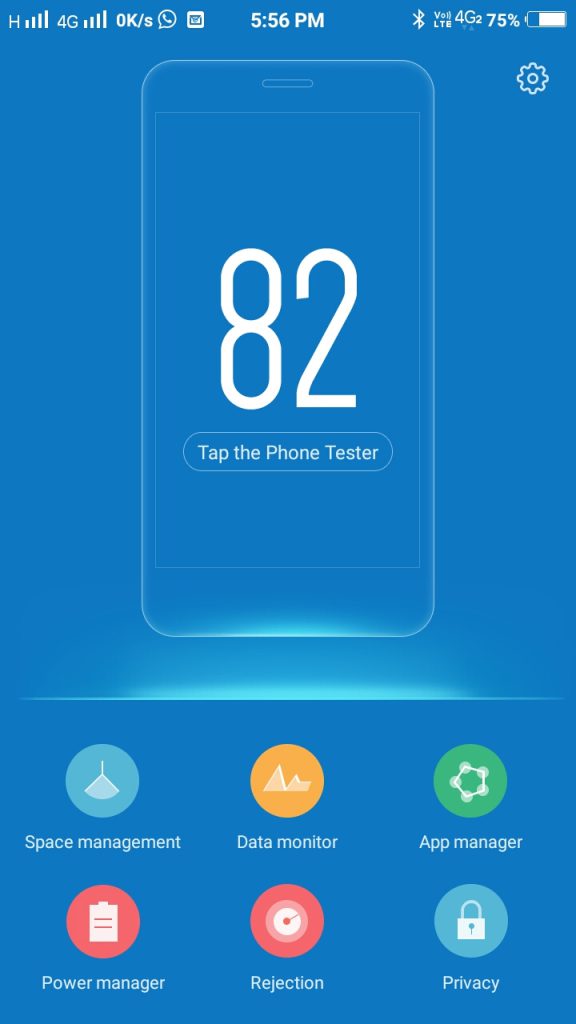
Step 1: Open iManager App on your phone

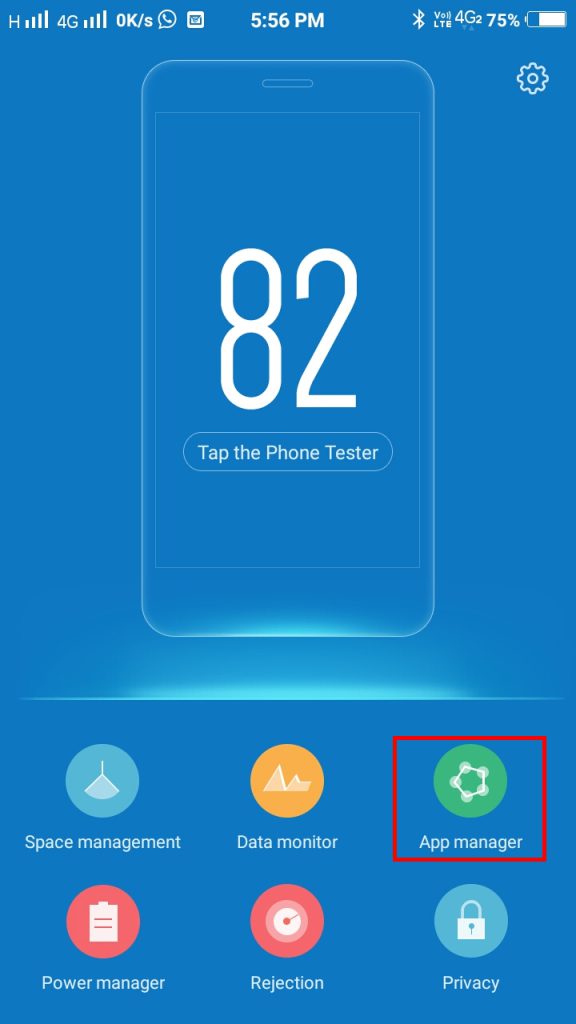
Step 2: Click on App Manager.

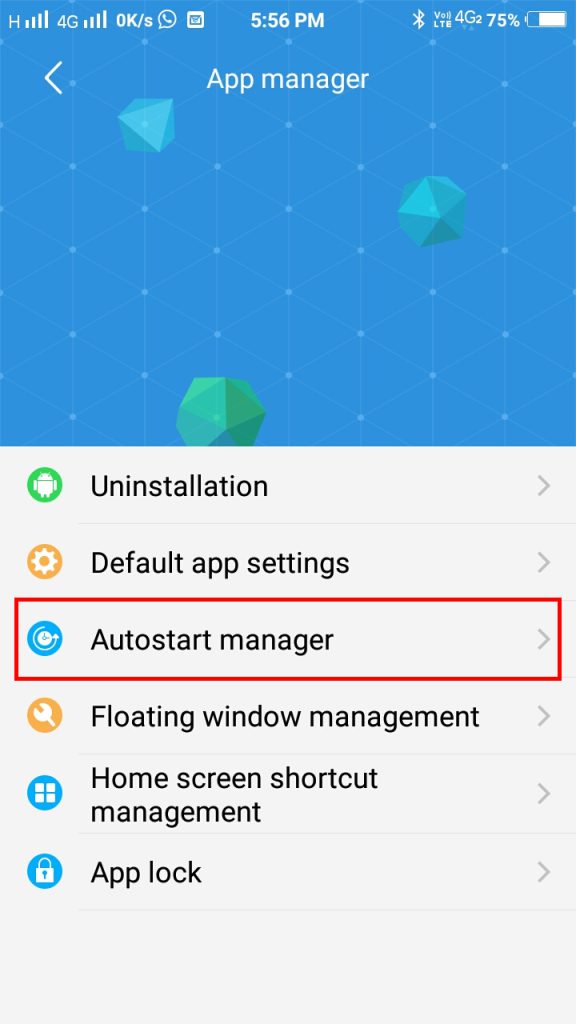
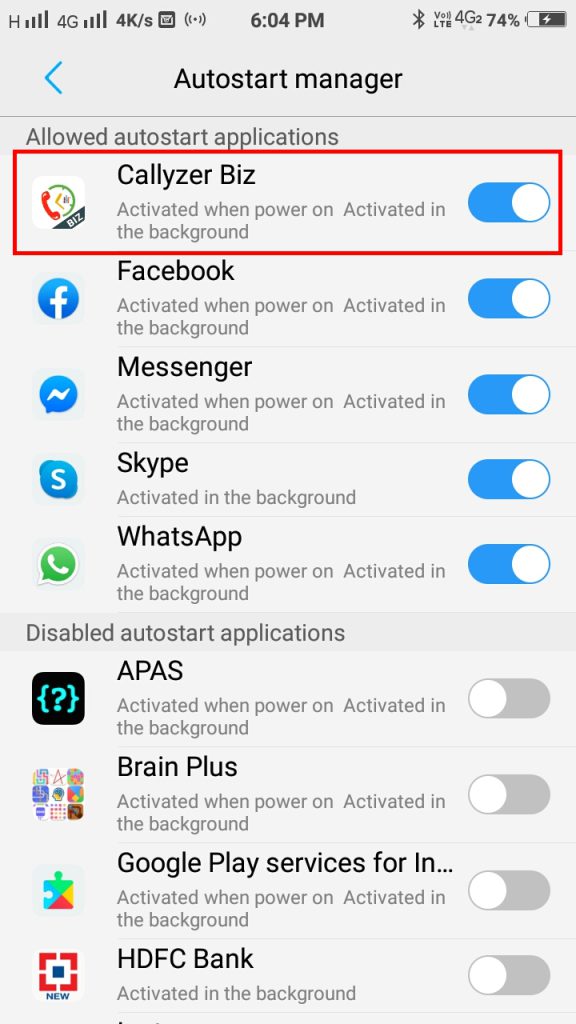
Step 3: Click on AutoStart Manager.

Step 4: Search for Callyzer Biz App and TURN ON the Toggle Button. (Make sure the toggle button is blue)

Process 2: How to disable battery optimization for Callyzer
Step 1: Open iManager App on your phone.

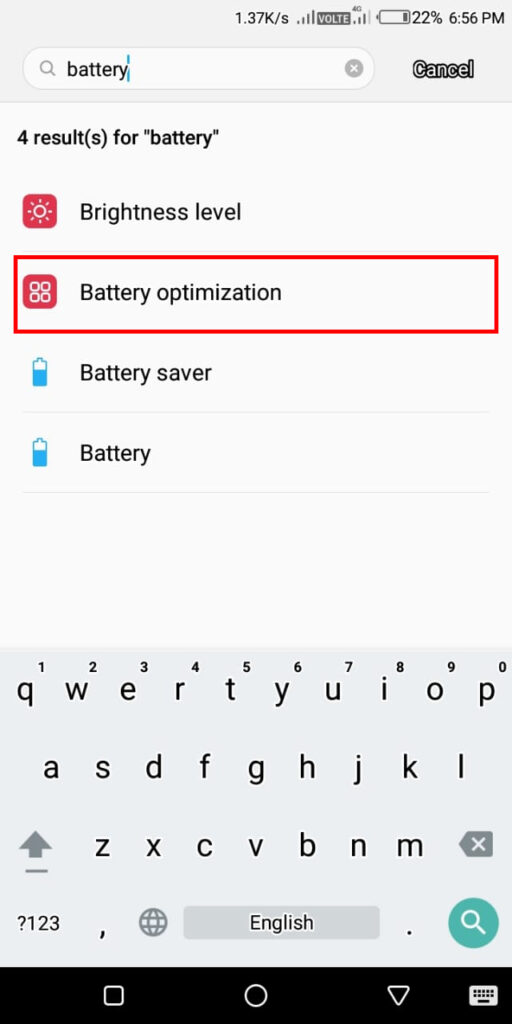
Step 2: Search “Battery Optimization”

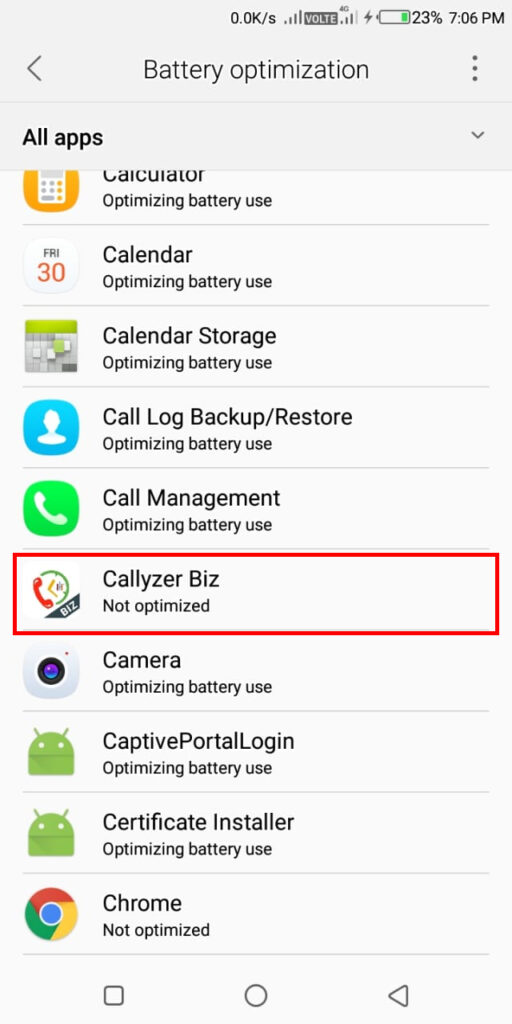
Step 3: Click on Battery Optimization and search for Callyzer Biz.

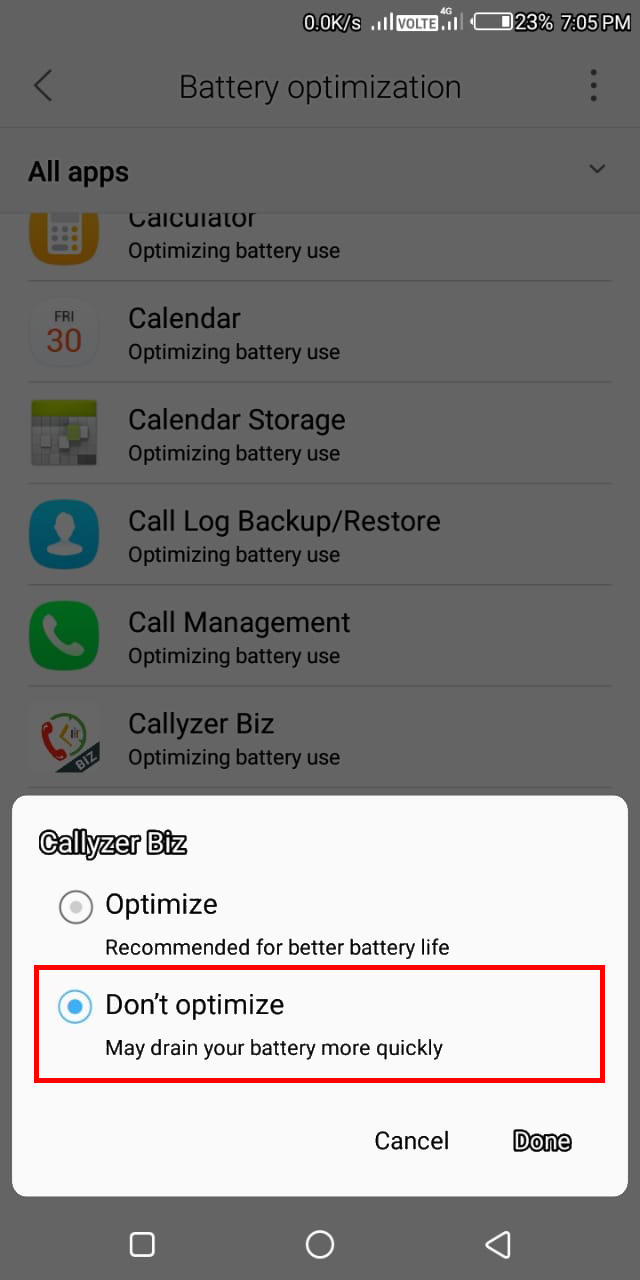
Step 4: After selecting Callyzer Biz. An option dialoge box will appear. Select “Don’t Optimize” and click “Done”

Troubleshoot for VIVO

There are different settings for different FunTouch O.S of VIVO
To check your phone’s OS version:

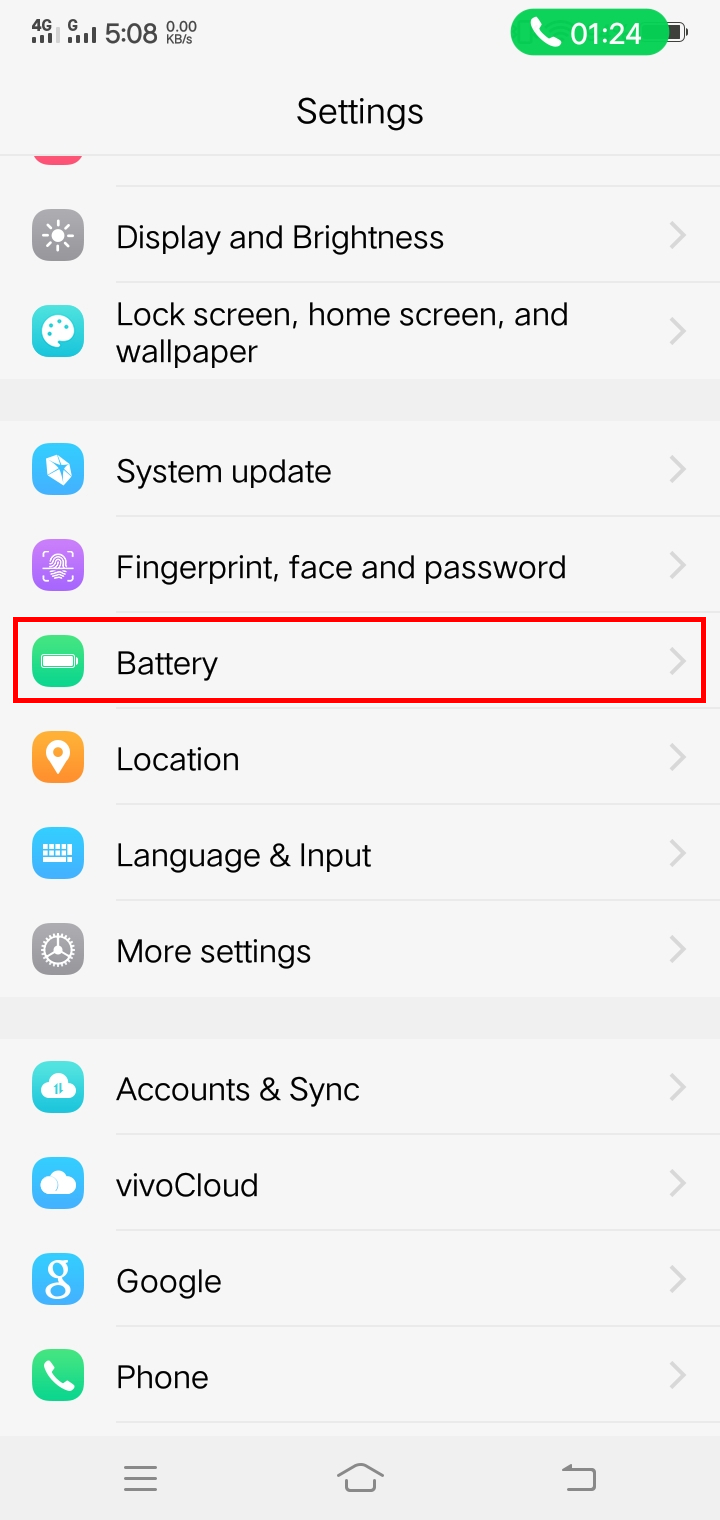
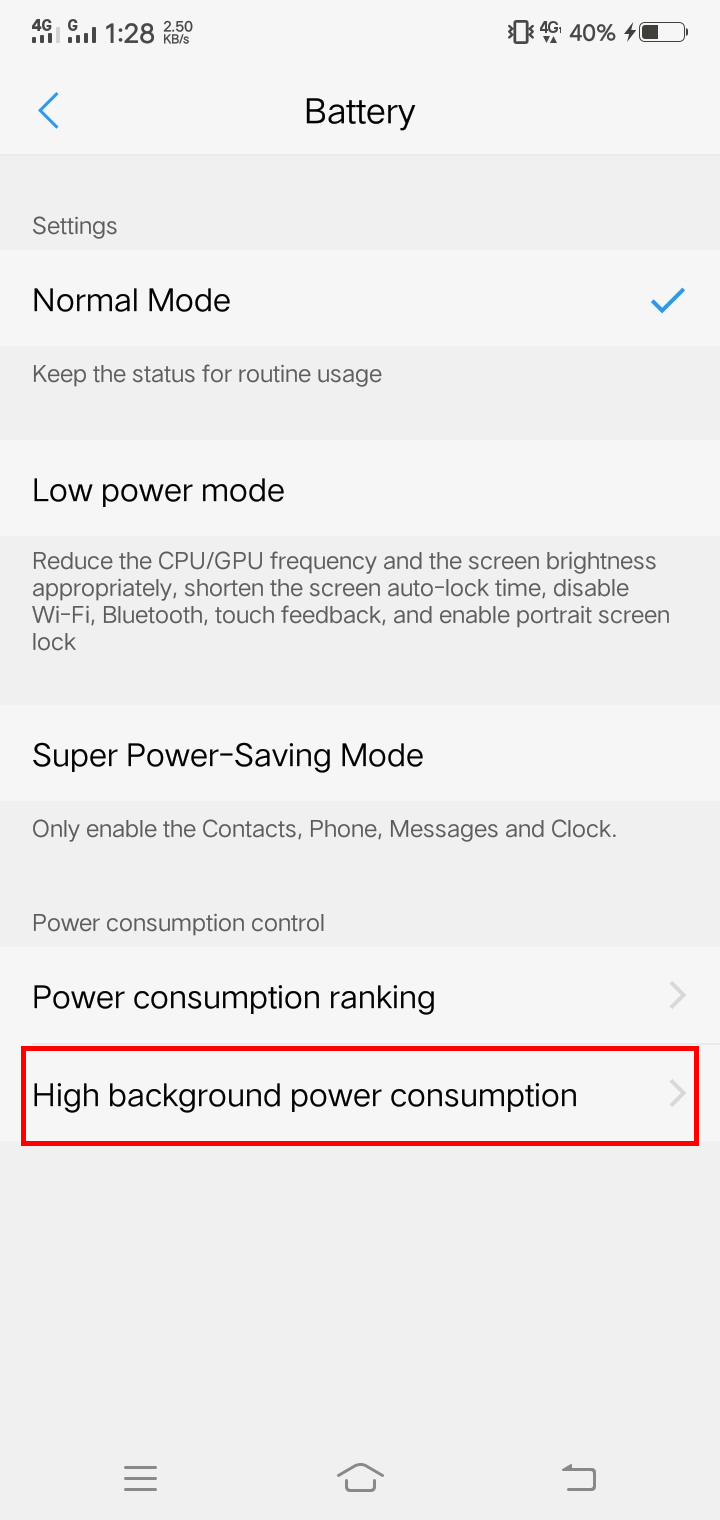
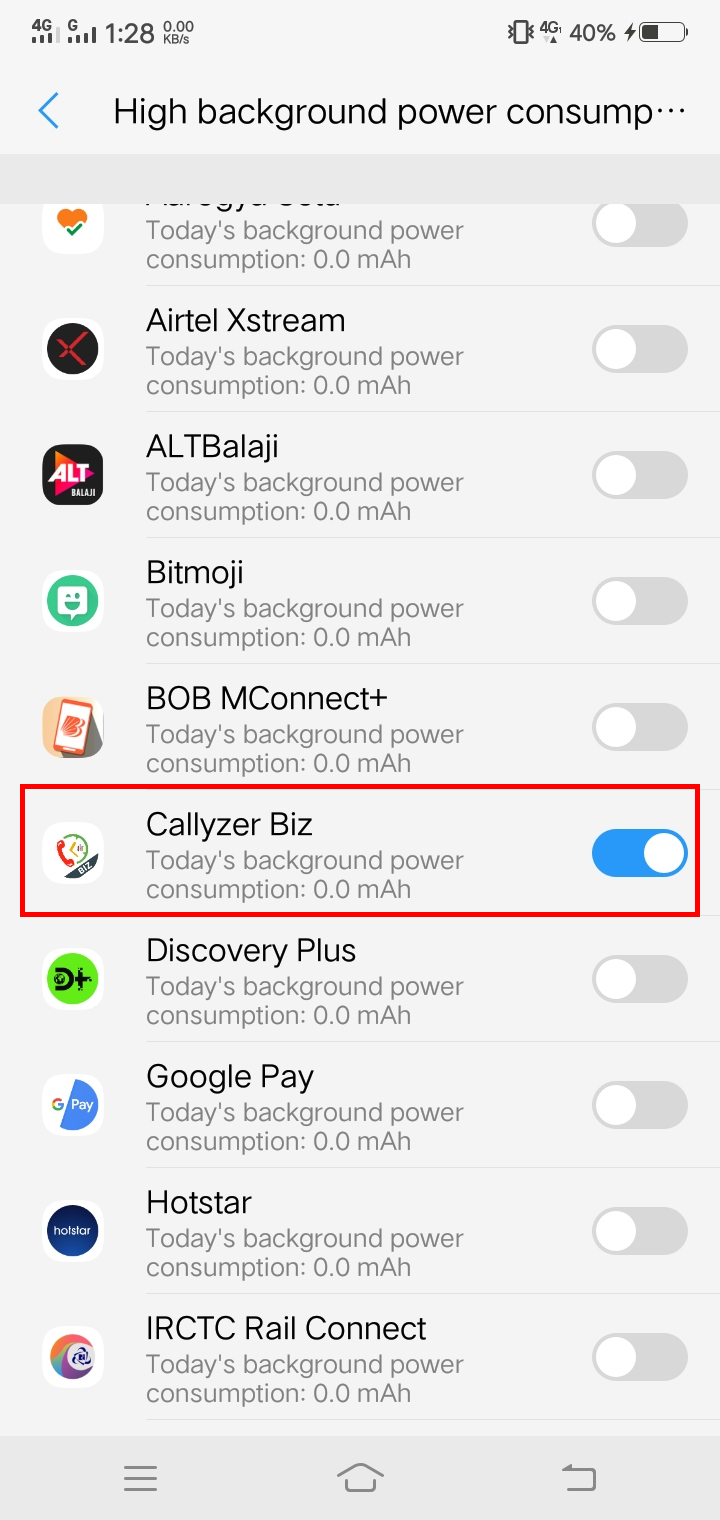
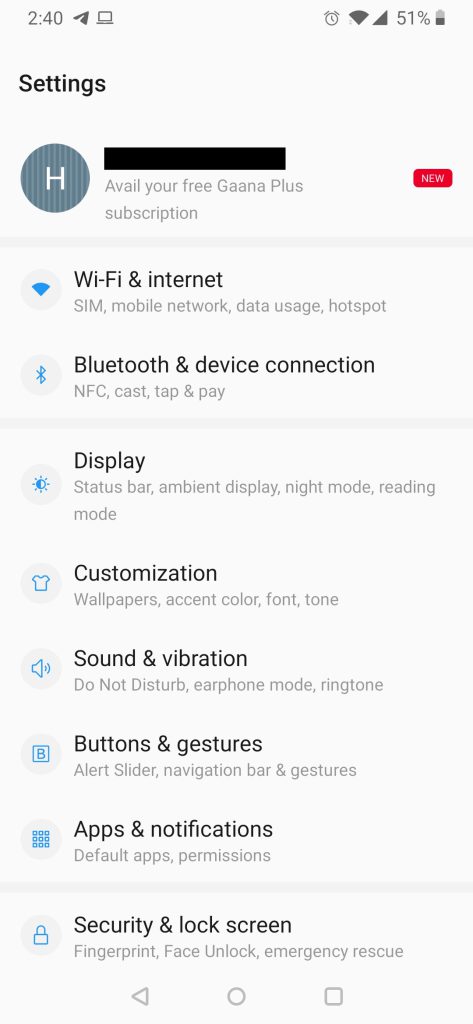
Open Phone Setting > About Phone.

In About Phone, your phone’s O.S version will be mentioned. Based upon it you can select the below option.

Troubleshoot FunTouch O.S 4.0 & above

Troubleshoot FunTouch O.S 2.0
Troubleshoot for OPPO

If you are facing issue in auto-synchronization, please follow the following steps.
Process 1: Settings For AutoStart for Callyzer
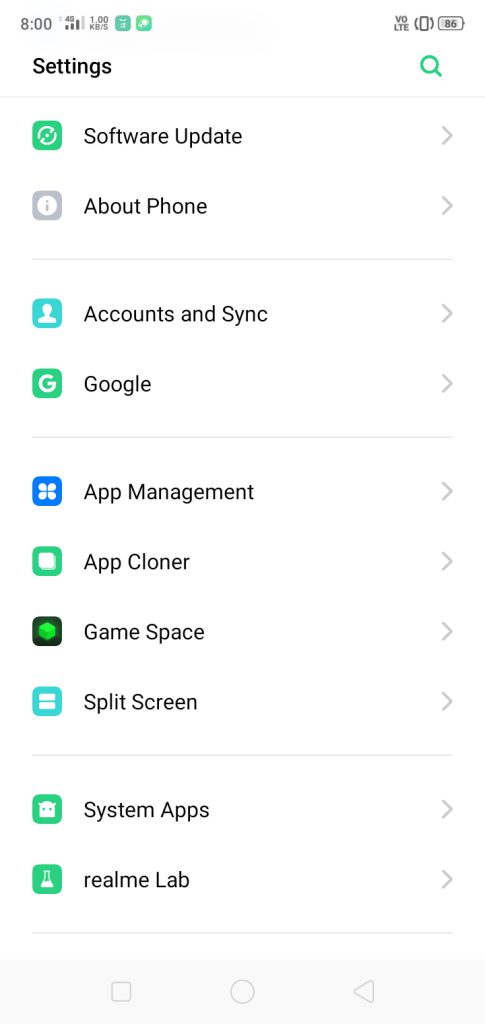
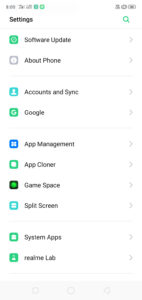
Step 1: Open Phone Settings.

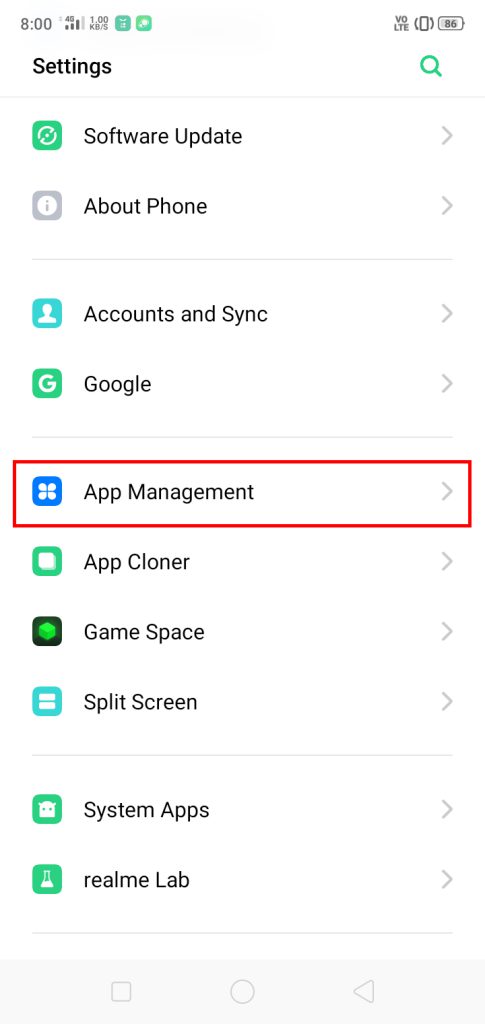
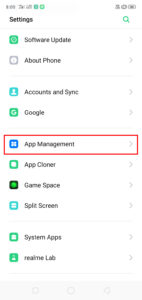
Step 2: Click On App Management.

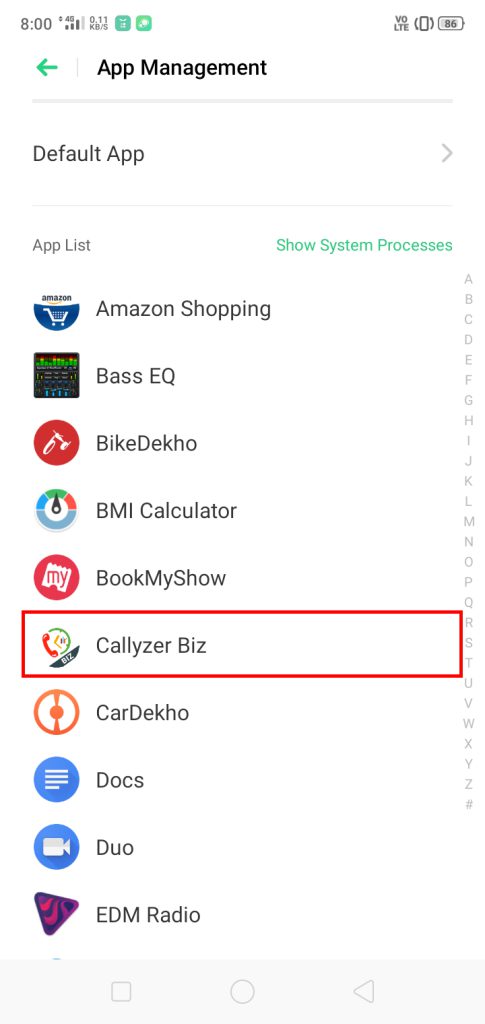
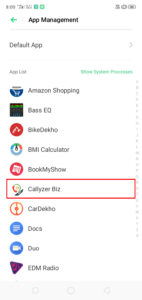
Step 3: Search For Callyzer biz App and Click On It.

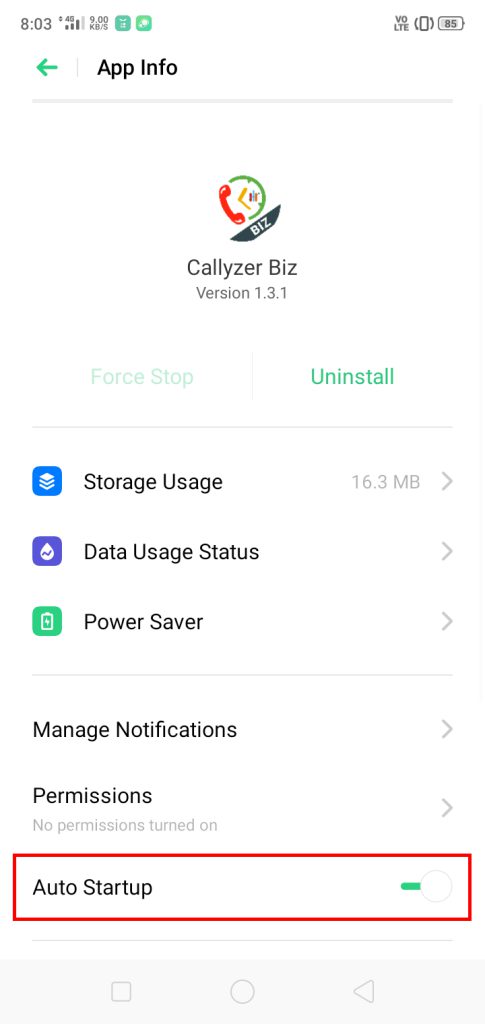
Step4: Click On AutoStartup Button Toggle
(Make Sure it Must be Blue/Green.)

Process 2:  How to disable battery optimization for Callyzer
Step 1: Open Phone Settings.

Step 2: Click On App Management.

Step 3: Search For Callyzer biz App and Click On It.

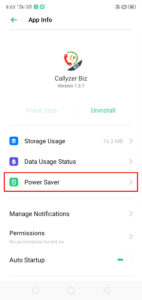
Step 4: Click On Power Saver.

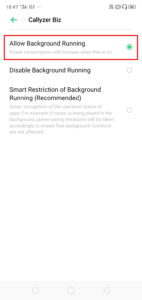
Step5: Click On Allow Background Running Button.

How to restore deleted employee?

You can view deleted employees in the Trash section. Deleted employees can be restored within 30 days.
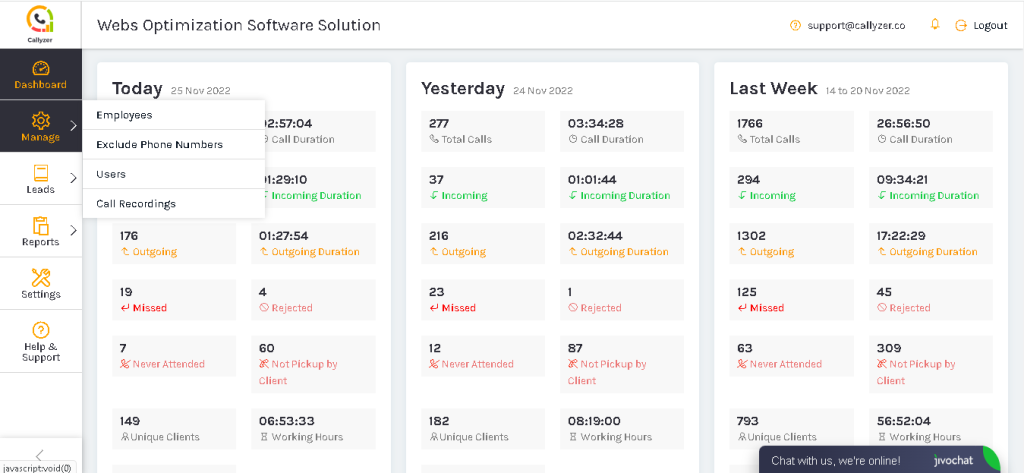
Step : 1 In the Callyzer dashboard, click “Manage” and select “Employees”.
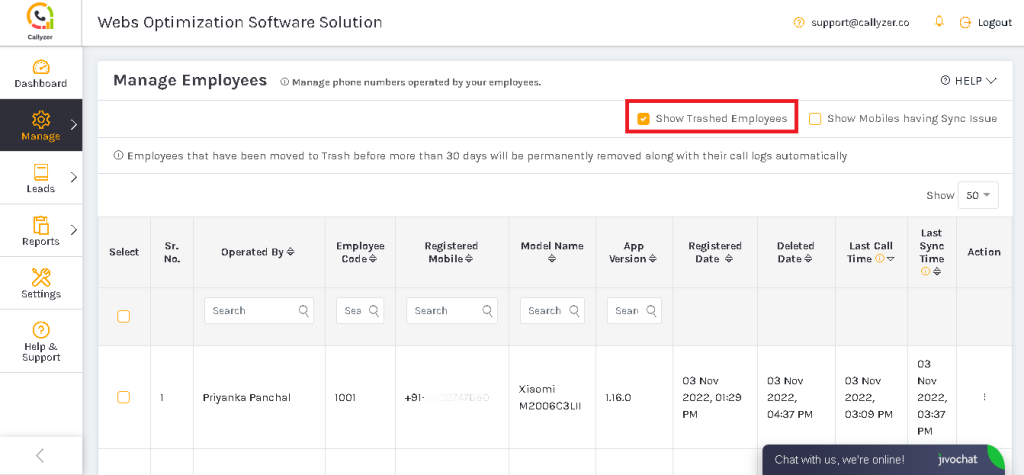
Step 2: Tick the checkbox “Show Trashed Employees”.
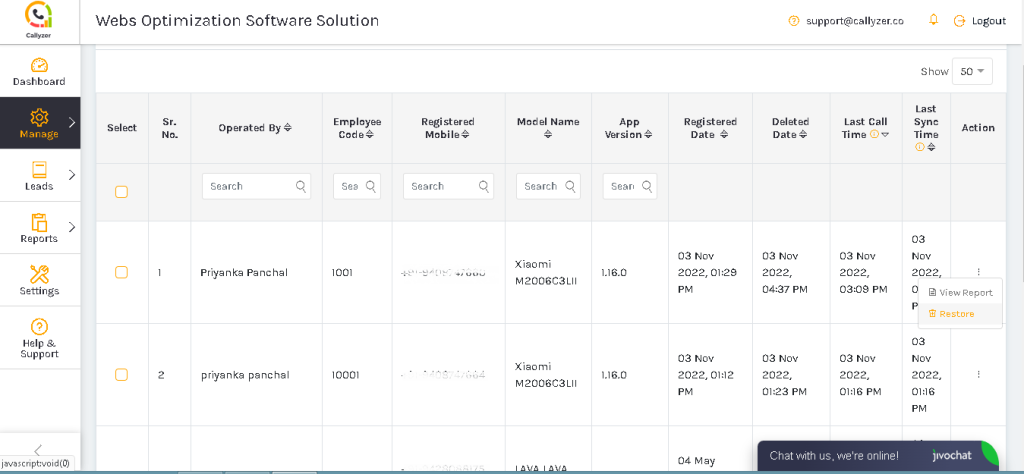
Step 3: In the action section, click three-dots and select “Restore”.
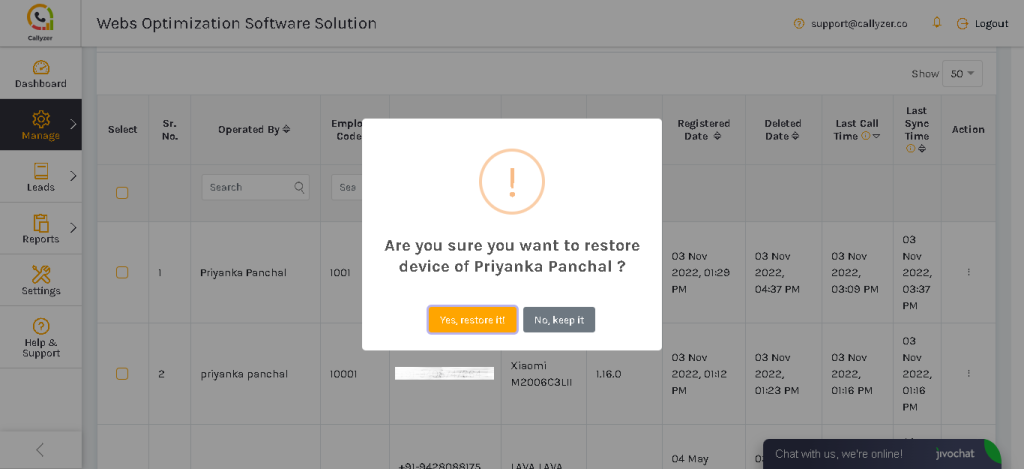
Step: 4 To restore the employee, click “Yes, restore it”.